 Entra Snapshot.
Tenant Configuration Monitoring
Monitor. Detect. Remediate.
How It Works
Four simple steps to monitor your Microsoft 365 tenant configuration
Sign In
Authenticate with your Microsoft account
Setup
Add Microsoft's UTCM Service Principal to your tenant
Baseline
Capture your current configuration as the desired state
Monitor
UTCM automatically detects drift every 6 hours
Sign In
Authenticate with your Microsoft account
Setup
Add Microsoft's UTCM Service Principal to your tenant
Baseline
Capture your current configuration as the desired state
Monitor
UTCM automatically detects drift every 6 hours
100% Microsoft API-Powered
Entra Snapshot is a UI layer on top of Microsoft's official UTCM (Unified Tenant Configuration Management) APIs.
No Custom Logic
Microsoft handles baseline storage, comparison, and drift detection. Your data never touches our servers.
4 Workloads Supported
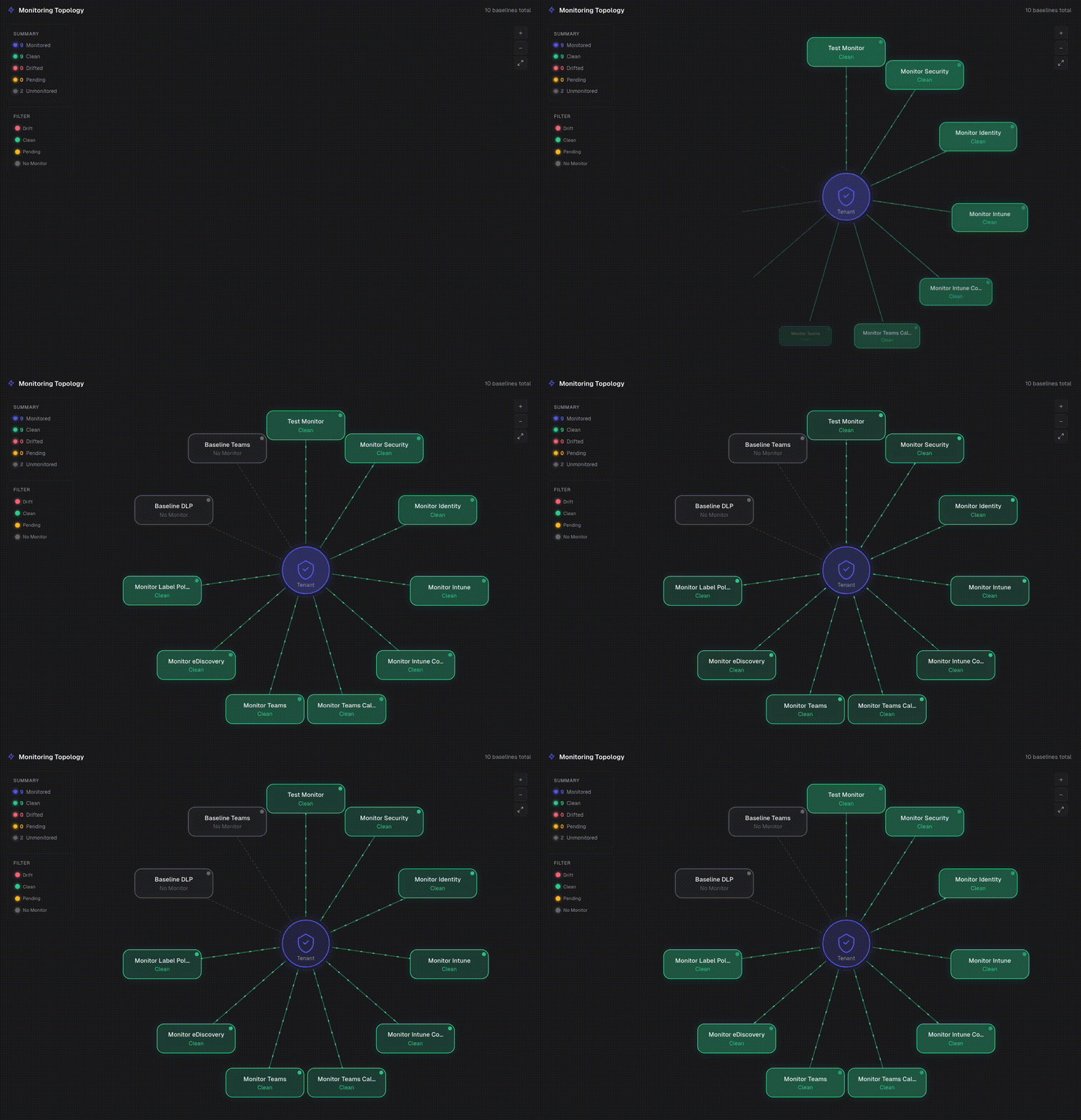
Monitor Entra, Teams, Intune, and Security/Compliance configurations from one dashboard.
Official Service Principal
Monitors run using Microsoft's UTCM service principal, not third-party credentials.
Preview API Access
Built on Microsoft's UTCM preview API (beta). Get early access to tenant configuration monitoring before GA.
Security & Privacy
Built with enterprise security in mind
Privacy Guarantees
- Your data never leaves Microsoft's cloud
- We don't store baselines - Microsoft does
- Delegated auth means you retain full control
- Open source and community-driven
- Revoke access anytime from Entra ID
Frequently Asked Questions
Entra Snapshot is a UI layer on top of Microsoft's UTCM (Unified Tenant Configuration Management) preview API. When you capture a baseline, we call the Graph API to create a configuration snapshot job — Microsoft's API reads your tenant config and stores the snapshot. When you create a monitor, Microsoft's UTCM service principal checks your tenant against that baseline every 6 hours and reports any drift. All the heavy lifting (storage, comparison, drift detection) happens inside Microsoft's infrastructure.
Yes, completely free. Entra Snapshot is built for the community by Microsoft 365 administrators who needed a better way to monitor tenant configuration. There are no paid tiers, no premium features, and no usage limits beyond Microsoft's own API quotas. The UTCM API itself requires a Microsoft 365 E3 or Entra ID P1 license on your tenant.
ConfigurationMonitoring.Read.All (read) and ConfigurationMonitoring.ReadWrite.All (write). These delegated permissions only allow reading and managing configuration monitors — not your actual tenant data like user accounts or mailboxes. You grant these during setup and can revoke them anytime.
When you sign in, Entra Snapshot uses a registered Entra ID app (our service principal) with delegated permissions. This means every API call is made on behalf of the signed-in user using their access token. Our app never has standalone access to your tenant — it can only act when you're authenticated, with your permissions.
During setup, you add Microsoft's official UTCM service principal (owned by Microsoft, App ID: 6a3d76d5-526d-484f-8871-8e55b0917fdb) to your tenant. This is the entity that actually executes the monitors — it reads your tenant configuration every 6 hours to check for drift. It's not our service principal; it's Microsoft's own infrastructure component, managed and secured by Microsoft.
Entra Snapshot itself stores no tenant configuration data. All baselines, monitor definitions, and drift results are stored by Microsoft in their Graph API infrastructure. Our app only stores your session token (encrypted, server-side) to authenticate API calls. When you sign out or revoke access, we retain nothing. Your configuration data lives entirely within Microsoft's cloud.
Yes. Go to Entra ID > Enterprise Applications, find the Entra Snapshot app, and delete it. This immediately revokes all access. Your monitors will continue running via Microsoft's UTCM service principal (they operate independently), but Entra Snapshot will no longer be able to visualize baselines, monitors, or drift results. No data is retained on our side. To also stop the monitors themselves, remove the UTCM service principal from your tenant.